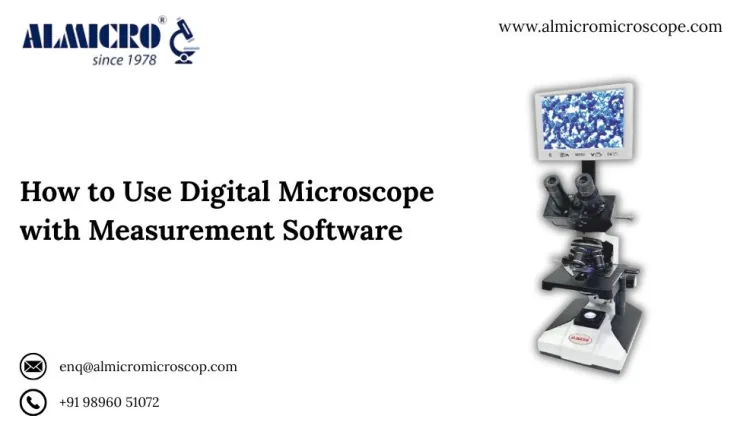
Digital Microscope
Digital microscopes combined with measurement programs are essential for researchers, educators, and industrial visual professionals alike. A digital microscope allows researchers and visual professionals to measure microscopic features on a computer display directly. You will be able to view, measure, and record all of your data without needing to measure features on manual micrometers or rely on any advanced optical systems. These guidelines will discuss the process of how a digital microscope works, the different types of microscopes.
Understanding the Setup
A digital microscope combines an optical lens system with a high-resolution digital camera to transmit live images to a computer or monitor. The measurement software allows you to mark, scale, and measure different structures.
Before you use it, please confirm that you have:
- A digital microscope with camera and measurement functions
- Compatible software installed on your system
- A stable microscope stand or stage
Clean samples and slides
Connect the microscope to your computer using a USB or HDMI cable. Launch the software and check for live image feed. Adjust the focus, brightness, and contrast to get a sharp view before capturing or measuring any sample.
Installing and Setting Up the Measurement Software
Most microscopes come with their own measurement software. Follow these basic steps:
- Install the software from the official source.
- Allow driver permissions during installation.
- Restart the system after setup.
- Connect the microscope and open the software.
- Verify that the live image appears on screen.
If you face any connection issue, switch USB ports or check cable quality. Close other heavy programs to ensure smooth performance.
Capturing and Measuring Images
Once the microscope is connected:
- Place your sample on the stage.
- Adjust magnification and lighting.
- Capture the image when focus is clear.
- Use the software tools to measure.
Measurement options include:
- Linear measurement for distance or length
- Angle measurement for corners or bends
- Area measurement for surfaces or fields
- Diameter measurement for circular objects
Calibrate the system using a reference slide before each session. Incorrect calibration leads to false readings. Save your images with measurement data for future analysis.
Advantages of Digital Microscope with Measurement Software
1. Direct On-Screen Measurement
You can measure directly on your screen without additional equipment. It saves time and reduces human error.
2. Real-Time Analysis
Live imaging allows you to analyze samples as you view them. You can pause, zoom, and compare structures instantly.
3. Digital Storage
All images and measurements are stored digitally. You can retrieve them later for reports or comparison.
4. Data Accuracy
When calibrated correctly, measurement software provides consistent results. It reduces dependence on manual estimation.
5. Ease of Sharing
Captured data can be shared via email or cloud storage. It helps teams collaborate efficiently.
6. Non-Destructive Testing
Samples stay intact since all measurement is done digitally. This is ideal for biological and industrial testing.
7. Multiple Viewing Options
You can display images on large monitors or projectors for training or demonstration.
8. Integration with Other Tools
Some software integrates with statistical or imaging programs for deeper analysis.
Comparison with Other Microscopes
1. Digital Microscope vs Optical Microscope
The Optical Microscope uses eyepieces, meaning you are looking through lenses and taking measurements by hand with mechanical scales.
The Digital Microscope puts the images on a screen, and the measurements are made automatically through software.
The Digital Microscope can also save images, export them, and share them.
2. Digital Microscope vs Stereo Microscope
Stereo Microscopes provide three-dimensional views, but they also do not have measurement functions built-in. They are preferable for examining larger samples.
Digital Microscopes are designed to capture images, scale, and measure on a software basis, which also works better for small or finely detailed samples.
3. Digital Microscope vs Metallurgical Microscope
Metallurgical Microscopes are designed for looking at metal surfaces and cross-sections and utilize reflected light.
A Digital Microscope with measurement software can perform similar tasks, but can also capture images, zoom in, and then digitally measure.
4. Digital Microscope vs Compound Microscope
Compound Microscopes are great for higher magnification, but do require manual focusing and measurement.
Digital Microscopes have slightly lower magnification but allow quicker digital analysis and memorization of readings.
Types of Digital Microscopes
Digital microscopes are available in several types based on their design and usage.
1. USB Digital Microscope
This type connects through a USB cable. It is compact and ideal for quick inspection. Many USB models are used in schools, workshops, and small laboratories.
2. LCD Digital Microscope
An LCD microscope has a built-in display screen. You do not need a computer. It is convenient for teaching and on-site inspection.
3. HDMI Digital Microscope
This type connects directly to a monitor or TV via HDMI. It provides high-quality live viewing without delay. It is often used in manufacturing or electronic industries.
4. 3D Digital Microscope
3D digital microscopes capture multiple images from different angles to create depth perception. They are used in material science, electronics, and forensics.
5. Portable Digital Microscope
Compact and battery-powered models designed for field use. They are used for outdoor sample collection or quick visual checks.
6. Measurement Digital Microscope
Equipped with advanced software for linear, area, and volume measurement. Commonly used in industrial quality control and scientific research.
Applications of Digital Microscopes with Measurement
Digital microscopes are used in several fields:
- Biology and Medical Research: To study tissues, cells, and microorganisms.
- Material Testing: To measure grain structure or surface cracks in metals.
- Electronics Inspection: To check printed circuit boards and solder joints.
- Education: For classroom demonstrations with live video projection.
- Forensic Investigation: To analyze fibers, fingerprints, and small evidence.
- Pharmaceutical Industry: For tablet inspection and particle size measurement.
Maintenance Tips
- Keep lenses and camera clean using lens paper.
- Avoid touching the optical surface directly.
- Calibrate before each session.
- Store in a dust-free case after use.
- Update software regularly.
- Maintain stable lighting for consistent image quality.
Buying Advice
When selecting a digital microscope with measurement function, focus on:
- Resolution: Higher megapixels mean better detail.
- Magnification Range: Check if it fits your lab needs.
- Software Compatibility: Ensure it runs smoothly on your system.
- Measurement Accuracy: Look for calibration options.
- Connectivity: USB, HDMI, or Wi-Fi as per usage.
- Durability of Stand: A stable stand prevents vibration and distortion.
Limitations
Digital microscopes depend on camera quality and software stability. Extremely small or transparent specimens might need specialized lighting. For high-magnification cellular studies, compound microscopes remain essential.
Why Laboratories Prefer Digital Microscopes with Measurement
Many laboratories now prefer digital microscopes because of the data efficiency. Measurement software helps in research documentation and repeat experiments. Reports are faster to generate and easier to verify. Compared with traditional models, digital versions reduce training time for new users.
In education, teachers display live microscopic views to large groups. In manufacturing, technicians check product dimensions instantly. In medical labs, image measurement supports diagnostic work and ensures traceable results.
Final Advice
Using a digital microscope to measure software applications will improve accuracy, save time, and streamline workflows. Whether you're studying biology, engineering, or assessing a research project, a digital microscope means you will measure directly as on-screen results, thereby not measuring manually. Just pay attention to the performance of the measurements used--make sure it is suitable for your intended purpose and calibrate it yearly.
You can use digital microscopes not only for viewing, but measuring and documenting microscopic details, a better and more modern way to complete the task.